deviantART
Browse Art
Prints Shop
Groups
T-Shirts & Gear
Deviants
Sta.sh
dA muro
Chat
Journals
Today
Forum
Find More Art
Daily Deviations
Critiques
Critiqueable
Wallpaper
Random
Random Deviant
Random Deviation
Random Group
Search
Username or Email
Password
Stay logged in
Login
Join deviantART for FREE
Take the Tour
Forgot Password or Username?
Deviant Login
Buy Art
Buy T-Shirts & Gear
Buy adCast
Buy Premium Membership
Shop
Join deviantART for FREE
Take the Tour
Share
Share
Tweet
Pin
Share on Reddit
Share on Google+
Share on StumbleUpon
Share on LiveJournal
Link
Embed
Thumb
[x]
Browse More Like This
Download Image
JPG, 720×720
more ▶
More from ~
haziran87
View Gallery
·
View Prints
Featured in Groups:
Not currently featured in any groups.
Details
Submitted:
May 23, 2009
Image Size:
232 KB
Resolution:
720×720
Link
Thumb
Statistics
Comments:
5
Favourites:
8 [
who?
]
Views:
1,709
(1 today)
Downloads:
397
(0 today)
To
[friends]
Message
[x]
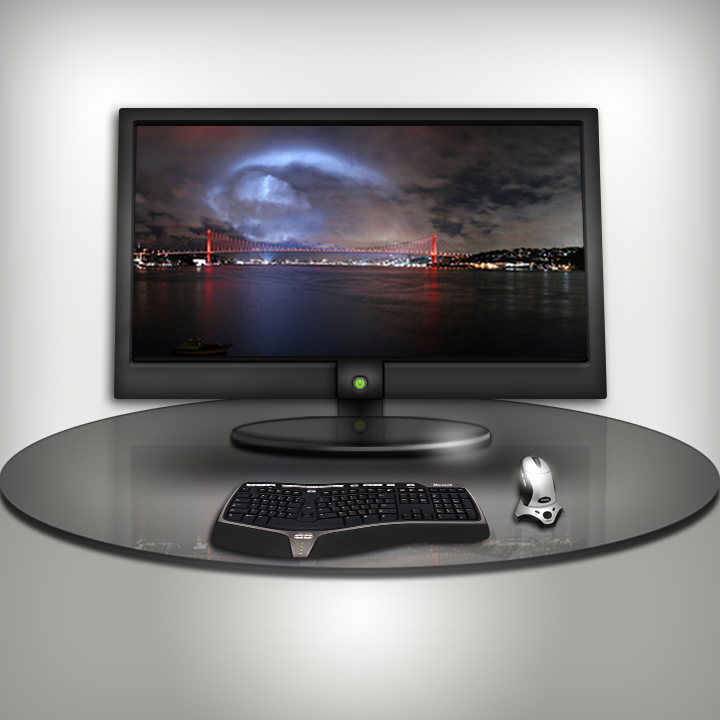
PC Monitor Design PS Tutorial
by
~
haziran87
Resources & Stock Images
/
Tutorials
/
Application Reference
/
Photoshop
©2009-2013 ~
haziran87
Creating 3D PC Monitor Tutorial
My lesson here can go to my site (psd file on my site), but tutorial language Turkish, no problem google translate
[link]
My tutorials site home page :
[link]
İsteyen buradan PC Monitör dersine ve psd dosyasına ulaşabilir, ayrıntılı şekilde anlattım :
[link]
Add a Comment:
Preview
Add Comment
Emoticons
love
0
0
joy
1
1
wow
0
0
mad
0
0
sad
0
0
fear
0
0
neutral
0
0
Load All Images
~
kichakicha
Sep 24, 2010
Hobbyist Digital Artist
yea goolgle translate really helps
great tut
Reply
~
Tschischik
Jul 19, 2009
one question can i use the psd for my own website?
Reply
~
haziran87
Jul 20, 2009
Yes of course, no problem
Reply
~
haziran87
May 23, 2009
Thanks you best my friend Baha
Reply
~
BAHADES
May 23, 2009
Professional Photographer
Great tutorial! Thanks for sharing
Reply
Previous
Next
Add a Comment:
Preview
Add Comment
Emoticons
Sta.sh
Submit
Sta.sh
Sta.sh Writer
deviantART muro
Submit
deviantART
Hide Media
Preview
Submit Comment
Add Media
Style
Skin:
Change skin
Upload Files